3e Encore4.2616.3
Publisher Description


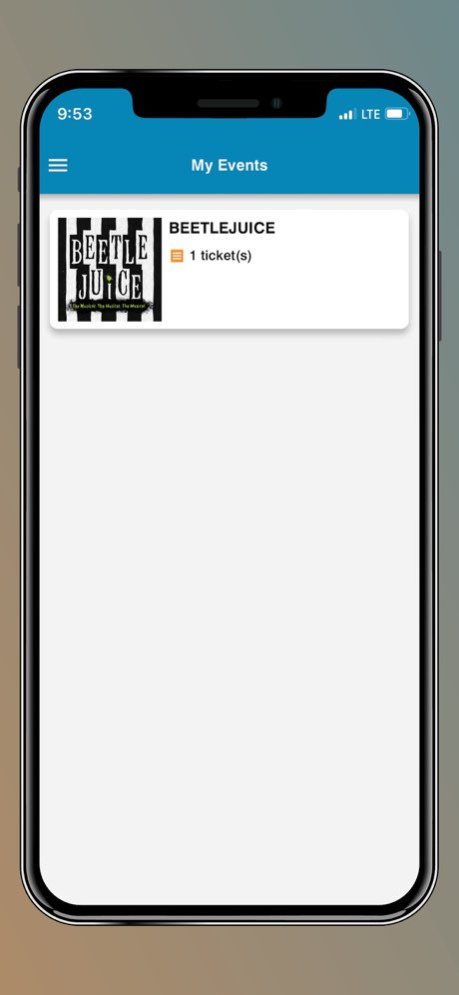
3e Encore is a state-of-the-art mobile ticketing application designed to enhance customer experience. Keep all of your tickets in one convenient place - your smartphone!
With the app, you can:
1-Download your purchased tickets instantly to your smartphone for easy access at the event.
2-Transfer tickets to your friends or family through the ticket transfer option using only their phone number. The transfer takes just a few seconds.
3-Access the event with your digital tickets in a quick and easy way by presenting your QR code on entry.
4-Keep up to date with any important event information with push notifications."
Version History Bug fixes and enhancements 4.2616.3 May 4 Improvements and bug fixes 4.2531.1 08/05/2025 Improvements and bug fixes 4.2526.2 08/05/2025 New UI, bug fixed 3.2421.5 07/22/2024 Improvement and bug fixes 3.2412.1 02/23/2024 New screenshots updated 3.2326.2 07/28/2023 3.2326.1 07/24/2023
About 3e Encore
The company that develops 3e Encore is SecuTix SA. The latest version released by its developer is 4.2616.3.
To install 3e Encore on your iOS device, just click the green Continue To App button above to start the installation process. The app is listed on our website since 2026-10-13 and was downloaded 1 times. We have already checked if the download link is safe, however for your own protection we recommend that you scan the downloaded app with your antivirus. Your antivirus may detect the 3e Encore as malware if the download link is broken.
How to install 3e Encore on your iOS device:
- Click on the Continue To App button on our website. This will redirect you to the App Store.
- Once the 3e Encore is shown in the iTunes listing of your iOS device, you can start its download and installation. Tap on the GET button to the right of the app to start downloading it.
- If you are not logged-in the iOS appstore app, you'll be prompted for your your Apple ID and/or password.
- After 3e Encore is downloaded, you'll see an INSTALL button to the right. Tap on it to start the actual installation of the iOS app.
- Once installation is finished you can tap on the OPEN button to start it. Its icon will also be added to your device home screen.
Program Details
System requirements
Download information
Pricing
Version History
version 4.2616.3
posted on 2026-10-13
Version History Bug fixes and enhancements 4.2616.3 May 4 Improvements and bug fixes 4.2531.1 08/05/2025 Improvements and bug fixes 4.2526.2 08/05/2025 New UI, bug fixed 3.2421.5 07/22/2024 Improvement and bug fixes 3.2412.1 02/23/2024 New screenshots updated 3.2326.2 07/28/2023 3.2326.1 07/24/2023
version 4.2531.1
posted on 2025-08-05
Improvements and bug fixes
version 4.2531.1
posted on 2025-08-05
Aug 5, 2025
Version 4.2531.1
Improvements and bug fixes
version 3.2421.5
posted on 2024-07-22
Jul 22, 2024
Version 3.2421.5
New UI, bug fixed
version 3.2412.1
posted on 2024-02-23
Feb 23, 2024
Version 3.2412.1
Improvement and bug fixes
version 3.2326.2
posted on 2023-07-28
Jul 28, 2023
Version 3.2326.2
New screenshots updated
